


Translate: Language Translator
4.794.00 Reviews
App Specs
- Version
- 1.16.0
- Updated On
- License
- Free
- Downloads
- 1,000,000+
- Developer
- o16i Apps
- Categories
- Tools
- Platform
- Android
Screenshots
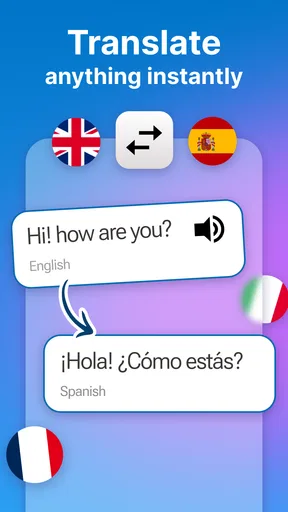
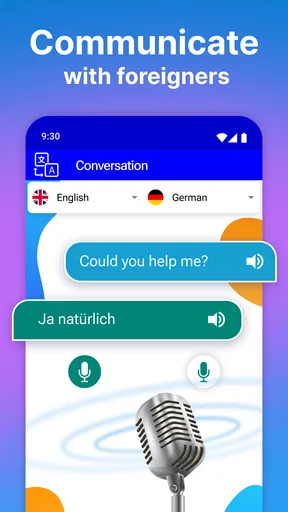
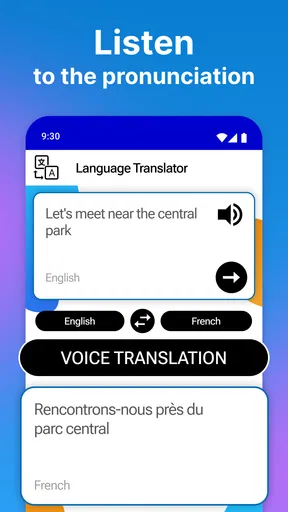
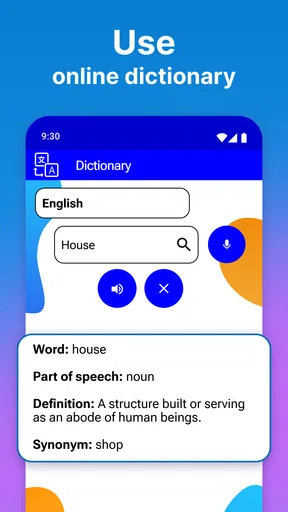
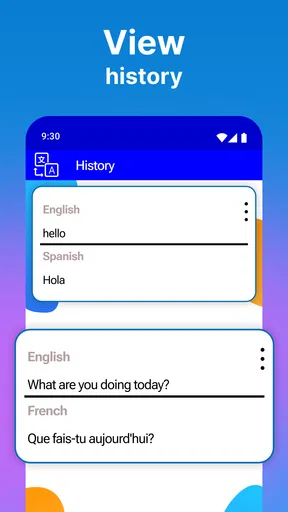
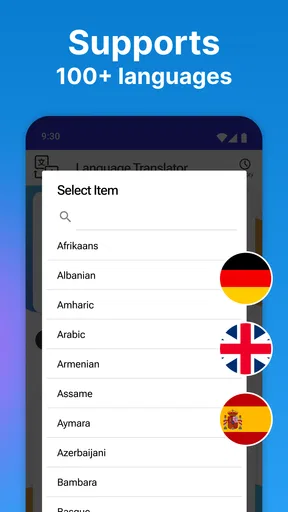
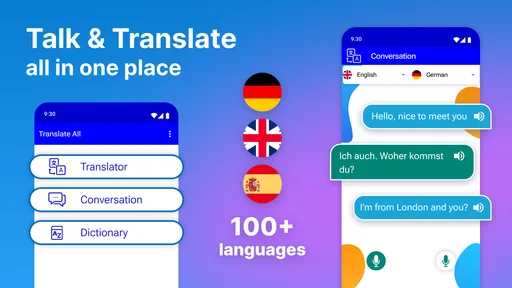
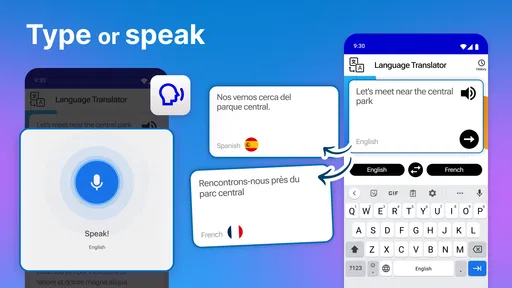
 Analysis by AppCompare
When I need to get through a conversation in a language I don’t know, I want a tool that helps me move from a rough question to a usable answer without making the moment more complicated. Translate: Language Translator is built for that sort of quick bridge: I can type, speak, or point the camera at text, then use the result to decide what to say or do next. Its appeal is practical rather than academic, and that distinction matters when choosing a translator for travel or everyday errands.
Start with the situation, not the sentence
I get the most value from a translation app when I first work out what I’m trying to accomplish. Asking whether a dish contains an ingredient, checking a sign, and explaining a problem at a service desk are different tasks, even if each starts with unfamiliar words. With this app, I can choose text, voice, or camera input to suit the situation, rather than forcing every exchange into a single method.
For a short question, typing is usually the least awkward option. It gives me a moment to choose clear wording and check the source text before I rely on the translation. If I’m standing in front of a notice, camera translation is more direct; if my hands are occupied or I need to say something aloud, the microphone offers another route. The useful habit is to keep the original message short and specific. A translator has a better chance of preserving the point when I avoid slang, jokes, and several unrelated requests in one sentence.
A small workflow that works on the move
Imagine I’m at a café in a place where I don’t speak the local language. I can type a question about a menu item, read the translation, and use the result to guide the conversation. If the menu itself is hard to decipher, I can switch to the camera instead of laboriously entering each line. For a spoken exchange, voice input may be faster, though I’d give it a moment to process and keep my next sentence ready rather than treating a pause as a failure.
That sequence—identify the immediate need, choose the input that fits, then check whether the output answers the actual question—is a better way to use any translator than accepting the first result blindly. When a phrase has consequences, such as a dietary restriction or a travel instruction, I’d simplify it and ask for confirmation in the conversation. Short translations are convenient, but they are not a substitute for careful communication when a misunderstanding could matter.
Moving between text, speech, and the world around you
The strongest practical point here is the range of input styles. Text is easy to review before sending or showing it to someone. Voice can help when typing is inconvenient, while the camera is suited to printed words that would take time to enter by hand. Those options make the app more adaptable than a basic text-only translator, especially during a day when the task changes from reading a sign to asking a quick question.
There is still a handoff between the app and the real world. A camera result has to be read in context: a sign may include a heading, a warning, and smaller details, and translating the words does not automatically tell me which part applies to my situation. With speech, the other person may speak quickly or there may be background noise, so I would keep the exchange brief and repeat or rephrase if the answer seems off. The app can reduce friction, but I still have to judge whether the translated meaning makes sense.
Worth Reading Before You Choose

EA SPORTS FC Mobile 26 Is a Bigger Football Game, but It Takes Time

Flipboard Shows What News Apps Must Do Beyond the Feed

Switching to Android Auto Means Rethinking Your Driving Routine

Google Calendar Makes a Crowded Week Easier to Manage

Ludo King Makes the Most of the Minutes Between Plans

Baby Panda World Brings Quick Play to Modern Phones, but Its Game Library Feels Busy
Where it fits among translator choices
As a free tools app from o16i Apps, it makes sense for someone who wants several translation approaches in one place without starting with a paid product. Its average rating is 4.3 from around 11,000 ratings, and it has over 1 million installs. Those figures suggest a well-used option, but they don’t tell me whether a particular language pair or specialist phrase will suit my needs, so I’d still test it with the kind of text I expect to use.
Compared with relying on a built-in phone translator, a dedicated app can be a convenient home for text, microphone, camera, and offline translation in one workflow. A general web search may be better when I need background information, multiple explanations, or a source I can inspect; a human translator is the safer choice for legal, medical, or contractual wording. I wouldn’t use a quick machine translation as the final authority for anything where exact wording carries serious consequences.
The app is rated for Everyone and is currently at version 1.14.4, with Android 7.0 as its minimum operating-system requirement. It is free to install, though in-app purchases range from $0.99 to $99.99 per item. I’d check the purchase screen before committing to anything and treat the free starting point as a chance to see whether its input methods and language options fit my routine.
It is a good match for travelers, casual learners, and people who occasionally need help reading or expressing a simple message. It is less suitable for someone who needs consistently polished prose, specialist terminology, or a dependable interpreter for a high-stakes discussion. If my main goal is studying a language in depth, I’d choose a learning app with lessons and practice rather than expect a translator to teach grammar or build fluency.
From a quick translation to a useful result
Ever found yourself in a situation where language was the only barrier between you and a smooth conversation? Well, I’ve been there too! That’s why I decided to give Translate: Language Translator a spin. This app promises to be your go-to tool for all things translation, and I’m here to tell you if it lives up to the hype.
First Impressions and User Interface
Upon launching the app, the first thing that struck me was its clean and intuitive interface. The developers have done an excellent job keeping things simple. You don’t need a map to navigate through it, which is a big plus in my book. Everything you need is right there, just a tap away. The home screen presents you with a text box for quick translations, and there’s a handy microphone icon if you’d rather speak than type.
Features Galore
So, what can you actually do with this translator? Well, pretty much everything you’d expect from a top-tier translation app and more. Here’s a quick rundown of the features that caught my eye:
- Text Translation: Supports a wide array of languages, allowing you to translate anything from a simple phrase to a complex paragraph.
- Voice Translation: Speak into the mic and let the app do the magic. It’s surprisingly accurate, even with different accents.
- Camera Translation: Just point your camera at any text and watch it transform into your chosen language in real-time.
- Offline Mode: A lifesaver for when you’re without internet but still need translations.
Real-World Usability
Now, how does it perform in the wild? I took Translate: Language Translator on a little adventure around town, testing it in various scenarios. From ordering food in a French restaurant to understanding the gibberish on a German signboard, the app didn’t disappoint. The real-time translation feature using the camera was particularly impressive. Just snap a photo, and presto, instant translation!
However, like any app, it’s not without its quirks. Occasionally, the voice translation feature took a few seconds to process, which can be a tad awkward. But, these moments were rare and didn’t detract much from the overall experience.
A Few Thoughts on Accessibility
In terms of accessibility, the app is a gem. It’s designed with a broad audience in mind, ensuring that even those with limited tech-savvy can navigate it with ease. The font size is adjustable, and voice commands make it accessible for users with visual impairments. Plus, the offline mode ensures that language barriers don’t stand a chance, even without an internet connection.
Final Thoughts
So, is it worth a spot on your home screen? Absolutely. It’s a reliable, user-friendly app that does exactly what it promises and then some. Whether you’re a traveler, a language enthusiast, or just someone who occasionally needs help breaking down language barriers, this app is a trusty companion.
In a world that’s increasingly interconnected, being able to communicate across languages is more important than ever. This translator rises to the occasion by making translation easy and accessible for everyone. So go on, give it a try, and let it be your bridge across the language divide.
Pros
- Supports over 100 languages for diverse needs.
- Offers offline translation for remote areas.
- Voice translation is quick and accurate.
- User-friendly interface for easy navigation.
- Frequent updates improve app performance.
Cons
- Occasional ads can interrupt usage.
- Some translations may lack context.
- Voice recognition struggles with accents.
- Offline mode requires initial download.
- High battery usage during prolonged use.
FAQs for Translate: Language Translator
What languages does the Translate: Language Translator app support?
Translate: Language Translator offers support for over 100 languages. This extensive list includes popular languages such as Spanish, French, Chinese, and Arabic, among others. The app continually updates to include more languages, making it a versatile tool for global communication. Check the app details for the most current language offerings.
Does the app require an internet connection to function?
While the Translate: Language Translator app functions best with an internet connection, it also offers offline capabilities for certain languages. Users can download language packs for offline use, ensuring access when traveling or in areas with limited connectivity. Be sure to check which languages are available offline prior to traveling.
How accurate are the translations provided by the app?
The app utilizes advanced machine learning algorithms to provide accurate translations. While it's highly reliable for everyday communication, users should be aware that nuances and complex phrases might not always translate perfectly. For critical translations, double-check or consult a native speaker if possible.
Is there a voice translation feature available?
Yes, the app includes a voice translation feature that allows users to speak directly into the app and receive spoken translations. This feature is particularly useful for real-time conversation. It supports a multitude of languages and accents, making it a practical tool for travelers and language learners alike.
Are there any subscription fees or in-app purchases?
Translate: Language Translator offers a free version with basic features. However, there are premium options available that unlock additional features such as ad-free usage, more offline languages, and enhanced voice translation. Users can choose to subscribe on a monthly or annual basis, depending on their needs.


